Showing posts with label Mobile Tips. Show all posts
How To Earn Free Paytm Cash Online- Watching Ads, Downloading Apps, Surveys

How To Earn Free Paytm Cash Online- Watching Ads, Downloading Apps, Surveys


11 Easy Ways To Earn Free Paytm Cash Online

How To Earn Free Paytm Cash Online- Watching Ads, Downloading Apps, Surveys

Complete the Tasks on Ladoo App to Win Free Paytm Cash

With the Ladoo app, you can earn cash by installing apps on your smartphone. The money earned through this can be used to make recharges, or you can also choose to transfer them to Paytm. Note that while transferring money to your Paytm account, 10% of the amount will be deducted as transaction charge by Ladoo. And if you like the app, then refer it to your friends to earn more money.
Steps to make money for free via Ladoo:
  • Sign up for the Ladoo app
  • Complete the tasks given such as installing other apps, watching ads/videos, sharing content on social media, etc.
  • Each task is assigned with a fixed Paytm reward
  • E.g.: Installing the Droom app earns you a reward of Rs.6. Installing the IMRB app adds Rs. 10 to your Paytm account.
  • After the given task has been successfully completed, the said amount will be credited to your Ladoo account.
  • Complete as many tasks as you want and earn handsomely

Earn Money with Cash Panda

Cash Panda comes with a tagline “Where Money Rains”. With this app, you can earn points by watching videos and completing other tasks. You get the opportunity to redeem the earned points in real cash. Your rewards can be credited to your Paytm account. Tasks include clicking on the advertisements, watching free videos, etc.
Steps to make money through Cash Panda:
  • Install and sign up to the Cash Panda app
  • Complete the designated tasks
  • Installing the Flipkart app lets you earn 400 points, while by installing PhonePe, you earn 150 points.
  • When you accumulate a lot of points, you can redeem every 100 points for Re. 1, and transfer the amount to your Paytm wallet.

Slide App – Unlock your Phone and Earn Paytm Rewards

Here we have a new app that lets you earn free Paytm cash by just unlocking your mobile phone. With this, you also get Rs.10 as sign up points. Presently, slide app is available for Android devices only. Accordingly, you get 0.15 paisa for each time you unlock the phone. Suppose if you unlock your mobile phone 50 times a day, then you will be credited with 0.15 x 50 = Rs.7.5 per day.
Things to Keep in mind:
  • With each offer, you get Rs.5 as referral points.
  • Only registered mobile numbers will be eligible for the earnings.
  • Refer points will be provided only if your friend downloads the app from your referred link.

Pocket Money App

You can earn free cash through Pocket Money app not just by installing different apps, but also can earn a daily bonus by visiting these apps daily and spending your internet bandwidth on them. 
The money you earn through this app is quite handsome in comparison to the previous apps. After you complete the offers and earn some money, you can transfer the money directly to your Paytm account. To avail, unlimited offers install apps like Amazon, Savan, etc and earn money.
Follow these Simple Steps and earn monetary rewards in your Paytm Wallet:
  • Download the Pocket Money app
  • Install different apps on Pocket Money to earn points. E.g. installing Amazon app lets you earn Rs 80.
  • Visit these apps daily to consume data, which lets you earn extra
  • Complete tasks and enter into contests to win more bonus
  • Use the money to make mobile recharges or transfer them to Paytm

Watch Ads and earn Rs.100 Paytm Cash with Adzync

Yes! Ads are really very annoying but nothing is “bad” when you are getting paid for it. On Adzync, you can watch Ads and earn Paytm cash just like that. Install and register to Adzync app by downloading it for free from Playstore or Apple store. Register your account by inserting your email ID and the required details. Link your Paytm account with Adzync in order to get the points credited to your wallet.
Please note that you can earn Paytm cash by watching ads, sending commercial messages to WhatsApp contacts, refer and earn program. Also, the referrer gets 10% of the total amount earned by the referred contact on sign-up.
  • Sign-up points: 25zync
  • 100zync = Rs.10 Paytm cash
  • 950zync = Rs.100 Paytm cash

InstaCash App

Earning with downloads is an absolutely new and innovative way of killing your time and actually getting paid for that. InstaCash provides the users daily Paytm cash with the completion of some tasks. 
It requires installing the app from Playstore and verifying the mobile number. Basically, the users are asked to complete some challenges. At the end of each challenge, the user gets Rs.4 Paytm cash which can be redeemed only if the user invites at least 5 friends to install and use the app.
  • Minimum Redemption: 250 points
  • Referral points after sign-up: 2 points/referral

Play Games & Earn Free Paytm Bonuses

How to get free Paytm cash by playing games? What if, we told you that there is a way for that. Too much to be true! But yes, there are gaming apps that actually offer rewards into your Paytm wallet for just playing these games. Only the necessary criteria are that you must be good at these games.
Here are some of the famous free Paytm cash earning apps and games available online:

Fruit Tosser App

Fruit tosser is not only an addictive game but it also gets tricky with each level. The games start with shooting and firing the fruits with a canon. The aim can be set by dragging the laser by finger. As you start playing this fun game, the level moves up and gets trickier. After the user completes the first 5 levels, a unique code is allotted. This unique code gets you Rs.500 Paytm cash or Paytm recharge. The game is absolutely free and required no installation charges. You can either play the game online or offline, as and when you want.

Bulb Smash Game

We all have definitely played bubble breaking and shooting games in our lives. Bulb Smash is another addictive bulb shooting game which gives you Paytm cash of Rs.5 for each referral made. The offer is not restricted to referrals only, you will get rewarded for signing up on this app as well. The sign-up reward is restricted to Rs.10 which gets credited in the Paytm wallet. These rewarded can be transferred to the Paytm wallets and used for recharges or payments.

Battle of Dots

Here comes another exciting game which delivers rewards for playing and signing up. Battle of Dots, as the name suggests, is a dots game which can be played with friends online or with computer bot offline. This game structure different set of rewards for different ranks. For example The first ranker with receive Rs.200 Paytm cash, second-ranked will receive Rs.100 Paytm cash, third will get Rs.50 and Rs.20 for fourth & fifth rank holders.

Get Rs.100 Paytm free cash with Starhunt Game

Starhub is a 2D/3D designed game where the players are supposed to cross through the planets, Hunt the stars and reaches to the target Solar System. It is a free game which can be downloaded from the Playstore or Apple store. The best part is that when you earn 100 or more points, you get Rs.100 Paytm cash instantly.
Steps to get free Paytm cash through this game:
  • Install the game from your Playstore or Apple store
  • Play and hit a score of 100 or more
  • Scroll to the leaderboard and click on “Brag on Facebook” option
  • Post your high score on FB and make the post public
  • Now, go to WizWack Studios FB page
  • Say “Hi!” and you will receive a message asking for your mobile number through which you will get the respective Paytm cash

Bat2Win Gaming App

Install-Play-Earn-Repeat! Exclusively for the cricket game lovers, Bat2win is another free game introduced by the developers of Power Cricket T20. With this game, you can earn up to Rs,500 Paytm cash if you make it to the leaderboard. Build up your score against the Yorkers, Bouncers, Spin bowling and all the tactics of cricket; and get the Paytm earning started.
How to Earn Paytm money from this gaming app?
  • Install this game from Google Playstore for free
  • Sign-up with your email id
  • Start playing and score maximum runs
  • When you make it to top 5 in the leaderboard, you get coupons and Paytm cash credited instantly
  • Maximum Cash of Rs.500/- every time you hit the top 5 in the leaderboard

Fill Online Paid Surveys To Add Money To Your Paytm Wallet

The best part of Paytm is that you can use it for a whole lot of services like recharging, shopping, money transfer, etc. Using these Paytm Promo Code, you can earn free cash in your wallet account by completing various online surveys, reviews, and questionnaires.
Online Paid Survey schemes pay for putting your opinion on certain matters. You just need to provide your honest views on the given matter. Here are a few great offers where you can earn money by completing the surveys and redeem that money to your Paytm wallet.

Panel Station Survey

Panel Station Survey allows you to participate in a survey and in return you get a chance to earn rewards. The surveys are mobile-friendly, and the best part is you don’t need to fill up the entire survey in just one go, you can choose to save the half-done surveys and fill the rest later on. Register in the panel station and earn reward points ranging from 100 to 5000 depending on the complexity of the survey. For the redemption process, the minimum point required is 3000.
Steps to earn free Paytm money by filling online surveys:
  • Install and register yourself in Panel Station app
  • Take Surveys or answer to the surveys
  • Get your surveys completed to get the points added
  • Minimum redemption point should be 3000

Earn Free Money via the Daily Cash App

Avail free Paytm cash by installing and completing the survey on Daily Cash app. Apart from the survey you also get other ways of earning like by sharing your referral code on social media app, watching videos or by completing the offers. After you have earned enough points you can convert your points and get free Paytm cash. You can also earn free Paytm cash by watching ads. Not only this, but you can also transfer your cash to your bank account.
How to get free Paytm cash with Daily Cash App:
  • Download the Daily Cash app
  • Open Offer Wall to complete the surveys
  • Once the survey is completed points will get credited to the wallet
  • Transfer your points to Paytm from Daily Cash wallet

Promotional Paytm Money Making Offers and Promo Codes

Here are some of these famous offers and coupons to get free Paytm cash:

Get Rs.10 Paytm Cash Instantly

Paytm is providing you with an opportunity to earn Rs.10 into your wallet for free. Just login to your Paytm account and hit the “add money tab”. Enter ‘Rs.10’ in the amount option and apply the coupon code ADD10. The said amount will be added to your account instantly without any fuss or need for any ‘transfer the money from a bank account’. To know more about this exclusive Paytm offer, click here.

Earn 50% Paytm Cash on Parle Hide & Seek Collection

No kidding. Next time you go out grocery shopping, buy one of your favorite biscuit pack from the Parle Hide and Seek range (Bourbon, Hide & Seek, etc) and you can get free Paytm cash into your account, worth 50% of the MRP of the biscuit pack. Each pack comes with a unique code that you can use to redeem this offer. Click here to know about this offer.

Burger King: Earn Up to 100% Paytm Cash

Paytm and Burger King have partnered together to bring this exciting offer to their loyal users. Next time you go out to eat at your local Burger King outlet, make sure you pay via your Paytm wallet and earn the rewards of this sweet deal wherein you can get up to 100% cashback (Max. Rs.60) on a minimum order of Rs.30. No coupon code is needed to avail this offer.

Earn Up to Rs.60 at Pizza Hut

Order Pizza at your favorite Pizza Hut outlet, pay via Paytm wallet and earn up to 100% cashback (Max. Rs.60) on a minimum order of Rs.100. You don't need any promo code to earn Paytm cash online via this offer.

Earn Paytm Rewards via Referral Programs

Paytm referral offers is a great way to earn money just by referring to some wonderful apps or services to your friend. If you liked the previous app offers, then you will surely like these offers where you can earn even more money.

Lenskart Refer and Earn

Lenskart Refer and Earn gives you a chance to earn Rs.100 in your Paytm wallet every single time you invite your friend. The referral program is only applicable if the referee is a new user. The referrer needs to share the link in social media site like Facebook, Whatsapp, Twitter, etc. After the referee installs the app and purchases any product using your referral link you get to earn Rs. 100.
A maximum amount of Rs 1000 you can earn by inviting 10 new users using your referral code. A referrer can also earn benefits by synchronizing the contact on the phonebook, where no referral code is required. Here referral code will be getting the first priority, then the contact sync.

Rs.10 per Referral with the Qrumble Box App

Quiz games are always fun to play. Crumble box is also a quiz game played between 2 players. When you refer this app to a friend and your friend downloads it, you get Rs.10 referral points in your Paytm wallet. Also, with each sign-up, Rs.10 Paytm free cash gets rewarded per user.

Extra Carbon Refer and Earn

Extra carbon gives you a chance to earn points by inviting new friends using your referral code. Invite your friends who are new users using the social media site like Twitter, Facebook, Whatsapp, Email, SMS, etc. When your friends install the app using your referral link you get a chance to earn cash that will get credited to your Paytm account.

NewsDog App

One more app that provides users with an easy opportunity to add money into Paytm wallet for just referring the app. This app enables you to get Rs.50 as sign up reward. Also, you will get Rs.20 in your Paytm wallet with each referral made by you. When you read the news, you will get 250 coins every day.
How to Paytm money with the Newsdog App:
  • Go to google play store and install the NewsDog app.
  • After getting yourself registered, apply 1hv4yf as your promo code which will give you referral code in turn.
  • You can also sign in through your facebook account and get Rs.50 as signup offer.
  • The users are free to share their codes the get refer and earn points in return.
  • On this app, 250coins are equal to Rs.1. For each successful referral, 50 coins are credited to the user's account.
  • These coins can be redeemed in the form of Paytm cash from the Paytm accounts.

Earn Free Paytm Cash and Recharge with the FreePaisa App 

Among different apps that allow you to earn by downloading and referring, FreePaisa is introduced as a new app in the Apps family. This app is structured for per day bonus scheming of Rs.10 to 100 users, choosing them randomly. Users have to download this app from Playstore in order to be eligible for earning money by referrals and downloads. You can earn Paytm rewards of up to Rs.10 on inviting and referring friends.
Follow the steps given below to earn Paytm rewards:
  • Go to Google Playstore and Download the FreePaisa app.
  • Head towards installing the varied apps or games on FreePaisa to earn points.
  • Refer the app to your friends or invite them to this app and get Paytm cash.

How to avail these Referral Offer?

Refer and Earn offer is the easiest way through which you can earn free cash. Whether you be an existing user or new, both get the advantage of earning. Follow the steps to avail these offers.
  • The existing user (referrer) needs to invite his friend using referral code
  • A referrer can invite through social media site like Facebook, Whatsapp, SMS, Twitter, etc
  • A new user (referee) installs the app using the referral link
  • The referee needs to purchase a product or complete a task
You can use the money in your Paytm wallet to do online shopping at the Paytm online store (aka Paytm Shopping Mall). The Paytm online store lists a huge variety of products, on which it also offers a lot of cash backs, making the effective price of the products comparatively cheaper than other online stores.
Slow Phone Charging?  Here is the reason why

Slow Phone Charging? Here is the reason why


My phone is charging slow. What should I do? | UnlockUnit
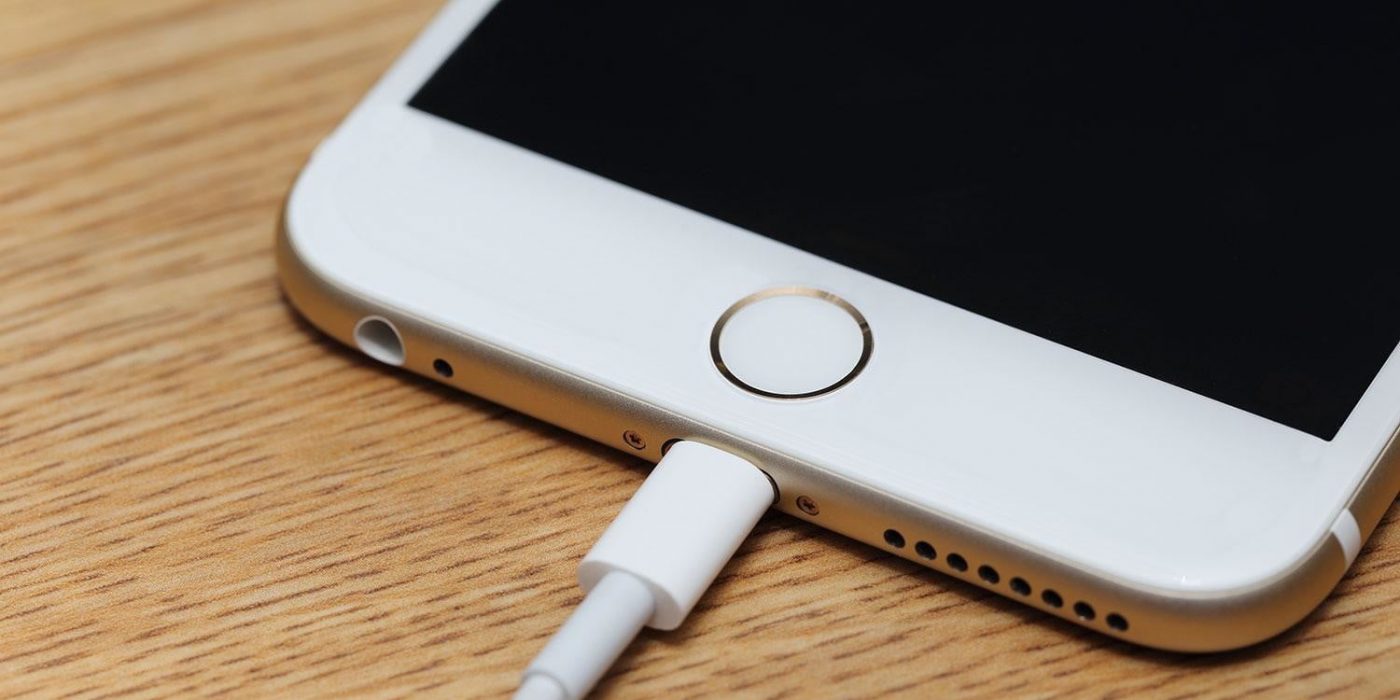
Is your Samsung Galaxy charging slowly? Your iPhone 6 or Note 5 doesn't charge up as fast as it used to? The truth is, whether you have Samsung or an LG, Huawei or a Xiaomi, this problem affects every smartphone after some time, and usually for the same reasons. In this article, we'll show you why your smartphone charges slowly, and what you can do about it.


You know the deal: hot date lined up for tonight, got home late from work, no chance of your battery lasting all night and only 15 minutes to charge. Yet, your battery always seems to take so much longer to charge than everyone else's, so you know that won't be enough. What's the deal? Why is your battery always slow to charge? Here are the main culprits and what you can do about them.


Suspect number one - your cable


The first offender in any case of slow charging should always be your USB cable. Just take a look at it: guilty as hell. Considering the awful treatment my USB cables undergo, it's no wonder that it is usually why my phone won't charge faster.


USB cables get bent, twisted, coiled, run over with chair wheels and generally abused: all of these are not very good for maintaining a solid connection and flow-through of power. Be sure to check the ends too: they can very easily get full of fluff.

Cables aren't immune to physical wear and tear and the USB connector itself also gets worn and can feel loose when you plug in your phone. If the cable that came packaged with your device isn't reliable anymore or you've simply lost it, beware of buying the cheapest charging options online. Higher quality cables have copper wire (some cheapos use aluminum and other substitutes that don't hold up as well) and thicker rubber enamel around the wire, making it more resistant to damage.


Suspect 2: the power source


The next obvious question is where are you getting your power from? If you have a USB cable plugged into your laptop then your phone is going to charge insanely slowly and you'll deserve it. Likewise with Qi wireless charging, which we know from newer flagships like the Samsung Galaxy S9, Sony Xperia XZ2, Pixel 3, and LG G7. While Qi is a brilliant technology, that brilliance comes at the cost of speed.

Your best bet is to have your phone plugged directly into mains power at the wall socket. However, even this can be problematic, especially if you're in an old building where the wiring might be a little sketchy. If you think this could be the problem, move to another outlet (and then call an electrician).


Suspect 3: the charger may not be right


To complete the trifecta, if it's not your power source or your cable, chances are that it's the actual adapter you're using that is causing your battery to charge slowly. There's a reason every manufacturer provides a specific USB adapter for each phone they ship.

Switching adapters between phones can mix-match voltage, wattage, amperage and so on. This is why it's best to stick with the adapter that came with your phone or at the very least take a look at the fine print and replace it with another adapter of the same type.


Suspect 4: your phone itself


Sorry, but it's true. If you're sitting there wondering why your Galaxy S2 takes so long to charge it's probably because the old-timer is getting worn out after many years of use. Newer processors not only support fast charging, but newer phones even come with turbo charging chargers. The Galaxy S6, for example, can get your four hours' worth of usage after just ten minutes plugged in.

Other phones that support fast charging will have a lightning bolt icon on the charger itself, possibly along with turbo charging output figures. Your phone can also become a pocket lint cave too, so check your microUSB port and make sure the little flap in the port isn't bent while you're looking in there. Your battery might just be kaput too, so ask yourself how old it is. At least one advantage of older phones is the removable battery, so if you can pop it out, consider replacing it if it can never seem to charge normally.

At the end of the day, entropy bring a slow but sure end to all things. If your phone is ancient, it's time to accept that it's past its prime.


Suspect 5: it's...you?


It's true - you're the worst thing preventing your phone charging quickly when you can't keep your hands off it. Seriously, if time is of the essence, your best bet is to leave it alone. Mindlessly scrolling through your Insta feed while watching your battery percentage go nowhere is no one's fault but your own.

So leave your phone alone when you charge it, turn your Wi-Fi/data/Bluetooth off or better yet, turn it off entirely. That's actually the absolute best way to charge a phone quickly: turn it off, plug it into a wall with the original charger and take a little break from your digital life (or go to your computer, if you must). Even after as little as 15 minutes.
How to fix 'Unfortunately app has stopped' errors

How to fix 'Unfortunately app has stopped' errors


How to fix 'Unfortunately app has stopped' errors
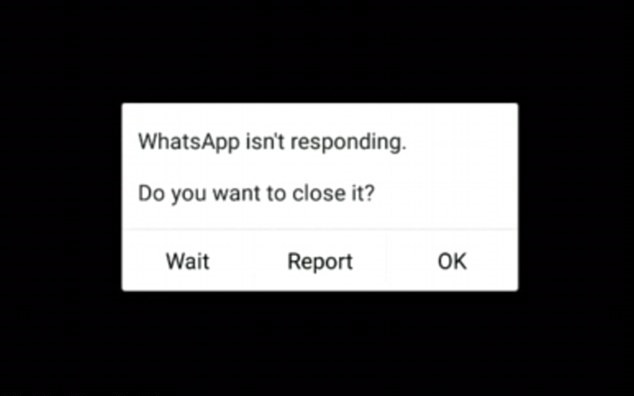
Do you get the following message when an app crashes? Unfortunately, YouTube has stopped, unfortunately, Facebook has stopped, or unfortunately, WhatsApp has stopped? Actually the particular app doesn't matter, any app can suffer from this misfortune and give a similar message. But there are ways to solve it. Here's how to fix Unfortunately, app has stopped errors.


Jump to solution:

Clear out the app's storage
Check the SD card
Uninstall and reinstall the app
Turn it off and on again
Last resort: do a factory reset


Clear out the app's storage


This problem often arises with the contacts, gallery and launcher apps. The procedure to fix this is generally always the same.


  • First, go to Settings on your device.
  • Apps and Notifications then App info
  • Scroll down to the app that's causing problems and tap on it.
  • In the next menu, hit Storage
  • Here you will find the Clear data and Clear cache options.

Clear cache is the option you should start with. It will get rid of saved data that allows apps to load a little quicker when you launch them. Clearing it means the app will open a little slower, but your main problem might well be solved.

Clear data will erase all the app's data, including files, settings and accounts, so don't use this unless you have to.


Check the SD card


Thanks to Paul in our comments section who pointed out that this error can also relate to a corrupted memory card. If the memory card corrupted, then any apps that write to the memory card will suffer this kind of error.

To check this, simply remove the memory card and launch the app that has stopped working. If it works, then you have your culprit. If this turns out to be the case, you'll need a new memory card, but you should still be able to transfer the data from your memory card to your PC as a backup.

Of course, if you don't use an SD card, then skip ahead to the next step.


Uninstall and reinstall the app


If the app isn't built-in, you can also try uninstalling it and then reinstalling it from the Google Play Store. Simply open the Play Store app, open the menu bar on the left-hand side and tap on My apps and games. Find the app in question and hit Uninstall, which takes a few seconds. Afterwards, you can install it again.


Turn it off and on again


You can also try doing a soft reset, which simply means restarting your device. This is super simple and quite effective if your phone has been on for a long time. A soft reset will power cycle your phone, turning it off and then back on again.

It’s a good idea to turn your phone off every few days for a few minutes – this will help a sluggish phone with a variety of issues, whether they're related to the app, network, audio or email.


Last resort: do a factory reset


When the above solutions have failed, you can resort to factory resetting your phone. When doing a factory reset, ensure that you have backed up all of your data beforehand. I repeat: back up all of your data first. A factory reset will wipe your device and set it back to factory defaults, taking everything, including any bugs, with it. You can restore your apps and data afterwards easily, as long as you've made a backup.

In the case of Google Play itself not working, the solution is a little more extensive: delete the cache as a first step and if this doesn't clear things up, clear your data, and finally uninstall any Play Store updates. The same steps apply to Google Play Services, but try them one by one – you don't want to lose all your Play Store preferences for no reason.


How to Order a WhatsApp Account Invisible Online

How to Order a WhatsApp Account Invisible Online

Who often fuss with girlfriends because they don't chat but get caught online on WhatsApp ? Make it nice too right? As a very popular messaging application, WhatsApp has many features that are quite useful for its users. Some of the useful features include Online and Last Seen . 


The Online feature will give us a sign that someone in our contact is opening the WhatsApp application. This feature will light even if someone is not opening a chat between us and him. How to see if someone is online or not, you can open a chat message with him. Later there will be an indicator that he is also opening the WhatsApp application.

While the Last Seen feature will show us information about when someone in the WhatsApp contact that we have last time opened the WhatsApp application. Just like online features, you can see it by opening the chat that you sent for him. Indicators of these two features will appear under the WhatsApp contact name, or under WhatsApp phone numbers if you have not saved the number in the contact. However, if this indicator does not appear, there are several things that can make this happen. These things include. 


  • It could be that someone you want to play is to set privacy preferences to hide information from others. 
  • You might have set your privacy settings preferences by not sharing your last seen with others, because if you choose not to display last seen then you can't see other people see last. Fair enough right? 
  • This third reason is a very painful reason, because if it is not the two things above that cause you cannot see last seen from someone, then the most likely thing is that you have been blocked from that person.
But for some users, both of these features can be very annoying. Because, without us knowing it, we can be found online when we don't want to reply to someone's message. 

It could be, we can get a problem from this. For example, our partner can sulk because we know we are online even though we have already said goodbye to doing assignments or going to bed first. The biggest risk of this is not just cranking, of course, our partner may ask to break up because they think we are having an affair. 

To avoid this from happening to you, as mentioned in the second reason why we can't know someone's last seen, we can set our privacy settings to Nobody. The WhatsApp application for all platforms, both Android, Windows Phone, iOS and others, has this default feature. However, to deactivate each device has different ways. To make WhatsApp not visible online on an Android device, you can follow the steps below.

How to make WhatsApp invisible online

1 Open the WhatsApp application. 
2 Click the three-point icon located at the top right of the display. 
3 Select the Settings option , then open an Account , and choose Privacy . 
4 Arrange Last Seen to Nobody by tapping it and choosing Nobody .
There are actually three settings that you can use to set the last seen privacy to be used. Everyone you can choose if you want everyone to be able to see the last time we went online and My Contacts to limit only the people in our contact. Good luck. Sumber : https://www.teknomatch.com/2018/12/cara-agar-akun-whatsapp-tidak-terlihat-online.html
How to play TV in mobile? Top 5 best android apps for online watching TV

How to play TV in mobile? Top 5 best android apps for online watching TV

Image result for Watch Live TV On Your Mobile


Hello friends In this post of today we will teach you to watch live TV in your mobile.So that you can see all the TV channels online for free in your mobile. Now if you want to learn this, then read our post full till the end. As friends, all of you know that TV is one of the biggest means of entertainment. Because of which we like to watch TV in our spare time. But if ever we move away from our home, how will we watch TV? Especially when we have to see our favorite program or cricket match. In such a way, we can enjoy live TV with the help of internet in our mobile.

How To Watch Live TV On Your Mobile - 


To see live TV online in your mobile, you will not need to do anything more. For this you just need to download some live TV app in your mobile. After that you will be able to watch your favorite programs and cricket match live on those live TV app. By the way, friends will find apps for many live TVs on Google Play Store, which can be seen live TV. But in the live TV app we tell you today, you will be able to see any channel in HD.

So, let's go, friends, while not wasting your time, we teach you to watch live TV on your mobile.

Top 5 best android apps for online watching TV


# 1 Jio TV - With the help of Jio TV App, you can watch your favorite TV shows, movies, sports-live cricket, live football, tennis, news and more for free in HD. There are a wide range of Entertainment, Movies, Sports, News, Regional, Music Channels, etc. are seeing |
Currently this app has more than 100 million downloads and this is a great app for watching Live TV for all Jio users.

# 2 Yupp TV - With this app you can see 200+ Indian Live TV Channels on your mobile. Including Star Plus, Aaj Tak, MTV India , Colors, Sony TV, Zee TV, Zee Cinema, SAB TV, 9XM, SONY MAX, Rishtey TV, etc. are included TV Channels |

Currently this app has more than 10 Million downloads and is also a great app for watching Live TV on mobile.

# 3 Voot - Through the Voot App, you can enjoy watching live TV on your mobile phone as well as download your favorite programs. In it you can see many popular TV channels like Colors Hindi, MTV, Colors Infinity, Nickelodeon, VH1, etc. in your mobile.

Voot App is also a very good mobile app to watch TV on mobile and has more than 50 Million downloads

#4 Hotstar - Hotstar is also a very popular Live TV streaming app, on which you can watch your favorite TV shows, movies, games, live news, etc. In it you can watch TV channels like Star Plus, Star Bharat, Star Sports, HBO, Nat Geo, Fox Life, Star Utsav, etc.

Through this app you can also watch many live TV channels on your mobile. Currently this app has more than 100 Million downloads.

#5 nexGTv - You can also try the nexGTv Mobile App to watch live TV in your mobile. In it you can watch TV Channels like B4U Movies, 9X Jalwa, POGO, 9X Tashan, 9XM, B4U Music, News 24, DD News, etc.


If you want to enjoy free channels without paying for it, this app is great for it. Currently, more than 5 Million downloads of this app have been downloaded.
5 Best & Free Recharge App for Android 2019

5 Best & Free Recharge App for Android 2019

Money doesn’t grow on trees, but it grows on your Android device .So you are ready to make money online with your smartphone ? Are you in search for best and free recharge app download for android ?

If your answer is Yes than you are right place.Just carry on reading and you will find best recharge app for android which will pay you surfing web ,watching video ,taking short survey and doing some very small task like referring with your friends .

Image result for earn money apps
I have written many post on how to make money online in past like 51 best money making websites , make money with Facebook ,make money withamazon and many more. But this post will be totally different.

The best thing you are going to learn in this post that you need not to browse any website to make money online .What you need an Android Phone with mobile data .Make sure you know how to save data in android mobile.

In Short you will learn following thing in this post –

  • How to get Free Recharge ?
  • Download free recharge app for android
  • 25 best free recharge app for android
  • Register and get free recharge type app for android
  • You will make money with your smartphone.
  • Top highest Paying free recharge android apps in industry.
  • 25 best money making android apps which you will not find anywhere else.

1. TrueBalance

Hassle Free All-Balance-Check App with awesome Free Recharge features.

True Balance gives you one touch solution to manage your prepaid mobile balances. Not only checking balances, but it also supports recharge; Invite friends, earn points and buy new packs! Download TrueBalance ●Enjoy True Balance in your own language! True Balance now supports Hindi, Marathi, Bengali, Tamil, Kannada, Malayalam and Telugu as well as English. We plan to include more and more contents in various Indian languages. Have the easiest balance checking app in your mother tongue! ●Enjoy the most accurate data balance! 

Now, your remaining balance is automatically calculated by True Balance’s new tracking system. Don’t check your balance yourself. Experience the perfect balance managing system!● All payment options available! True Balance provides an online payment gateway powered by CC Avenue, trusted by over 85% of Indian merchants. You can use your Credit/Debit card or Net banking as well as True Balance Points for recharging mobile balance.● Earn & Free Recharge – Invite friends & Earn points. – Various reward offers everyday!– Get free recharge with points in Wallet. Download TrueBalance

2. HaathBazaarCash –

This is a multi label marketing app where you join for free and also get 50/- INR ($0.90) as a sign up bonus and you can make money up to 5th level.

HBC tie up many of the national and international companies . These company gives their share profit to HBC on each and every transaction through HBC.HBC gives you cash back on each transaction in this manner that you all will get maximum profit there is no limit for cash back.

Here is how to join HBC
  • Download HBC from here.
  • Sing up with your real details .
  • Use Sponsor code 486282 to get sign up bonus.
  • No Sponsor code no bonus
  • Complete challenge by installing some apps
  • Get your sponser id and promote over internet.
  • They will pay you up-to 5 th level .
  • You can redeem your money by bank and free recharge.
  • Share ,Share and and share

3. Champcash-


This is another MLM type android apps where you earn money by installing apps,referring others , talking surveys etc,.They have 7th level referral system.

Benefit of Champcash

  • Zero Investment
  • Work From Home
  • No hard work
  • No marketing
  • Secure payment
  • 100% Legal
  • Work anytime like a freelancer
  • Be your own boss
  • referral system available upto 7 level.
  • Upto 7% Cash back of each mobile recharge and other shopping.
  • Make your team and Be your boss.
  • Earnings upto 7th level.
  • Payment in Bank and Paypal
  • $1 sign up and $0.35 per referral

4. DataBack-

As name suggest it is data back apps where you can get data by using your favorite apps like whatsapp ,facebook amazon etc.Only use prepaid number to sign up with databack.

Now earn free mobile data for free internet with Databack application.

Play daily contest, download & install popular apps or refer friends to redeem your earning for free net pack to any mobile number at any state or circle in India. They pay 25 MB per refer .

Download databack and get 7MB bonus [If you download directly or by other link you will get only 5 MB]


5. Earn Talktime

In this app ,you can earn talk-time just by downloading some free apps ,using them , referring your frineds , checking your horoscope etc.

They pay 200 Rs per referral .

10 when your friends register at EARN Talktime.

20 when they download their first app.

70 when they do first recharge of 100 or over.

100 rs is bonus which shared via lucky draw.

Minimum Cashout is 47 Rs and you need to install at-least one app.

Download Earn Talktime
What is the PayPal Payment System?

What is the PayPal Payment System?


The development of the era of digital technology has changed many aspects of the line of human life, from being physically shaped to being digital and even now connected online. No exception, one of which is a transaction activity (whatever the type of transaction) , in which the first must be to bring together all parties in one place, can be done without them having to meet physically. As a result, a variety of new services are present to bridge the various types of activities, one of which is PayPal services that are involved in the field of financial transactions. 

What is PayPal? 

Broadly speaking, PayPal is a company that provides financial transaction services using electronic mail as a substitute for old methods that still use paper, such as checks and money orders. This digital company in the financial sector has a base in the United States, precisely in San Jose, California. In its history, this company is the result of a merger between Confinity and X.com, which was conducted in 2000. 

The company was once an eBay company as a payment system. However, with the reason to increase its capacity, the company also parted ways with the online auction company. At present, the company has several financial services, both personal and corporate, which can even be accessed through a variety of devices, including desktops and mobile devices that use the Android and iOS systems. 

PayPal advantages

Secure 
As a service related to finance, PayPal will protect every financial information from its user account by implementing an encryption system, so that users do not need to trade hesitantly even if they do not know who the transaction opponents are. 

Flexible 
Besides being able to be accessed anywhere and anytime, users can also link various types of bank accounts, so they can pay with one of these bank accounts. In fact, users do not need to have money in their PayPal account. 

Easy 
PayPal has a feature called One Touch. With this feature, users can make transactions on websites and mobile applications, using only one touch. 

Protected 
By using services from PayPal, users will be protected if something unwanted happens. One of them is Buyer Protection, which can be used to return funds if the item does not arrive, or with Refunded Returns, which can be used to return shipping funds to send goods back if it is not as ordered.
The Best Football Game on Android Platform

The Best Football Game on Android Platform


The Best Football Game on Android Platform - Confused about playing the Soccer Game on Android which one is worth choosing? Tekno Match has summarized several titles that you can try. There is no doubt that soccer has become one of the biggest sports in the world with millions of fans including Indonesia. 

Whether it's an outside or domestic match, you have your own supporters who can be said to be quite fanatical. In the world of the game itself, the genre of soccer sports has been very popular since the beginning of the appearance of the Playstation with the flagship series of Winning Eleven which is now better known as Pro Evolution Soccer. Until now, the popularity of soccer games doesn't seem to recede at all. 

In the past you had to have a console to be able to play ball games, now access is very easy with the availability of smartphones available in various price ranges. In this all-connected era, of course it is highly recommended to play online in order to get the latest data but there are also things that you can play offline. What are the best soccer games for fans to play? 

FIFA Soccer

FIFA Soccer is a game made by the giant company EA Games that offers a variety of advantages that you can play compared to other games. FIFA Soccer has almost the same taste as the console version so you can enjoy many things ranging from League to 1v1 matches with other players. Play Store

PES 2018

The title of the legendary game in Indonesia will provide experts playing highly authentic ball games. Controls that have been optimized for this mobile device will certainly make the game run more comfortably. Of course you can create your own All Star team like in other Pro Evolution Soccer games. Play Store

Real Football

Who doesn't know Gameloft ? The French game developer has spawned a lot of Real Football champion games to be one of them. Real Football is offered an experience as real as possible, even as a soccer simulation. Surely you wouldn't regret trying this one game. Play Store
How to Replace an HP Realme C1 Theme

How to Replace an HP Realme C1 Theme


For those of you who have bought Realme C1 , surely many are confused about how to change the default theme. This is because this device is not equipped with a Theme Store by default. In fact, for me personally, the theme change feature is one of the important features that a device must have, whatever it is. 

With this feature, we can avoid feeling bored and easily adjust the device to our mood. Quite unfortunate indeed, the device made by the company OPPO dropout does not offer basic features that are widely used by other mobile phones. In fact, beyond that, this device has a specification that is quite interesting to host. Even so, this deficiency can still be dealt with. Even though by default there is no theme change feature, you can still change the theme in Realme C1 in the following two easy ways. Install Launcher from 

Third Party The first way, you can overcome the problem of not being able to change the theme in Realme C1 by using another launcher. Launcher itself is an application that is used to find and start other applications. In this application, you can find shortcuts for various applications installed in the device. And by default, Realme C1 uses a launcher from ColorOS, which is a special Android system made by OPPO. By replacing the default launcher, you can also change the basic theme with a variety of themes from the newly installed launcher. In this case, you can install selected launchers, such as Nova Launcher , Microsoft Launcher , and so on. Use the OPPO Default Theme Store As mentioned earlier, similar to most Realme phones, Realme C1 also uses the ColorOS system. 

This system is a system made by OPPO which is also used on devices made by him. With this interesting fact, it turns out the themes of the OPPO device can be used for Realme devices. How, you only need to download and install the Themes Store application that is default on OPPO. After that, you can open the application and search for themes that suit your taste. If you have found it, open the theme in question and select the download option. Next, you just install it by pressing the Apply button. Sumber : https://www.teknomatch.com/2018/12/cara-ganti-tema-hp-realme-c1.html
Photo Merger application on Android

Photo Merger application on Android

Combining photos is something that is often done by social media users to beautify their uploads. In this case, of course you need an application to do it. In general, a combination of several photos in one image is usually called a photo collage. 

Collage itself is the art of attaching various kinds of material into an image area. Photo collages also have an essence similar to collages in general, where to combine several photos, sticking techniques and adjust the position of the photo to be key so that the appearance becomes attractive. But for digital photos, this can be done using an image processing application. Interestingly, nowadays, many image processing applications for creating photo collages are available in app stores. 

For Android devices only, you can find dozens to dozens of applications that can be used to create photo collages. Some of them are the following below. PhotoGrid This photo and video processing application is one of the best applications on the Google Play Store in 2016. This is because this application has many features, ranging from various layouts, stickers, to filters. Even interestingly, this application has been equipped with an artificial intelligence system or AI, complete with machine learning support, so that it can detect faces faster. For those of you who want to try this application, you can download it through the following Google Play Store page. 
Canva Canva is an image processing application that goes into my favorite application. Not because there are many filters, but because this application supports many easy-to-use designs, from posters, business cards, invitations, and so on. 

Which is quite easy, this image processing service can be accessed through applications that are already available in the application store, or through the browser by visiting the site pages directly. 
PicsArt This image processing application has a more complex image processing feature than the previous two applications. In addition to collage maker (collage maker), this application has basic image processing tools such as eraser background, brush, crop, and filter. With these various features, you can give a beautiful touch to each of your photos. And because of this too, this application has been named the editor's choice application on the Google Play Store.