Why Laptop Batteries Run Out Fast?

Why Laptop Batteries Run Out Fast?

Laptop batteries that are in good condition and save power, you can get since the initial purchase. Durability and good conditions on the battery, over time will begin to decrease due to frequent use of laptops. Yes, laptop batteries don't always have good conditions, sometimes a problem will occur. 

In a laptop device, the battery itself is used as a tool to store power and provide electrical power so that the laptop can live. So, in this case the battery has a fairly important function in the use of laptops. At the beginning of purchasing a laptop, usually the battery has a tremendous durability and power saving. It can even be used for hours without having to check it. Even so, the battery is also inseparable from a problem, as is the case with other components. The problem is that the battery runs out quickly. 

The Causes of Laptop Batteries Quickly Out This fast-running battery problem often occurs on various devices such as smart phones, and laptops. Ngedrop is a term often used to describe events like this. Laptop battery problems run out quickly, closely related to the battery itself there must be a system error or damage to the components inside. Of the damage is certainly not without reason, many factors that affect it. 

Incorrect and good behavior or use becomes the main factor or mastermind of this damage occurs. Many people don't realize that some activities when using a laptop have things that have a considerable impact on the health of a laptop battery. So, because there are many laptop batteries run out and this you need to know before the battery problem quickly overwrites your laptop. Here is the explanation.

1. Too Old Laptop Use 

Using a laptop should be done naturally, do not let the laptop be used until it drags on and makes the laptop heat. When you use a laptop for hours and hours and the battery runs out. Of course this can cause damage to the components inside the battery itself. The use of too long, can make the system hotter, so that it will adversely affect other components, this includes the battery. The impact on the battery usually causes a problem of battery run out quickly. 

2. Overloading Laptops with Heavy Work

Laptops have different specifications, this certainly has an impact on their capabilities. If the laptop has good specifications, even if you do a heavy work, you can still run it. However, it is different with low-specification laptops that are forced to do heavy work. What is there can actually make laptop components damaged by laptops working too hard. The result is a laptop that is hot and worsens the quality of the battery, so it runs out quickly. 

3. The Causes of Other Laptop Batteries That Run Out Others That Is Dicharger While Used

Laptop usage activities that are the cause of laptop batteries quickly run out then is the laptop charger while in use. Doing something like this seems trivial and like no problem is caused. But that is wrong, because when the laptop is charged and immediately used, the power that is directly charged is used. Of course the power in the battery is not filled properly as a result the battery will run out quickly. So, avoid behavior like this if you don't want your laptop battery to be wasteful. 

4. Using the Internet on a Laptop with a Difficult Network 

Browsing the internet can indeed be done on devices such as laptops or cellphones. However, it turns out that internet usage can also be a trigger for batteries to run out quickly or wastefully. Bad network on the internet can cause laptops to become more extra at work. How come? Laptops are looking for a good network so you can browse as much as you like. However, the impact was that the laptop had become hot and the laptop battery had an effect. 

As a result laptops become more wasteful when used. Well, that's the causes of laptop batteries run out faster, which later very quickly carried out the charger on battery power. It's not fun when in the middle of using a laptop suddenly the battery runs out. Even the battery runs out for only a few hours since its use, of course this will have an impact on its use later. Therefore understand very well about the causes of laptop batteries run out quickly. That way you can do a little prevention about the battery that runs out quickly or wasteful. If you have experienced a wasteful battery, it is almost impossible to repair it. Because, usually there has been damage to the inside of the battery and to repair it must repair the inside. Hopefully this article from Tekno Match can add insight and add to your lessons for all laptop users. Thank you for your visit. 
How to Redirect Blog URLs to Several Other Sites

How to Redirect Blog URLs to Several Other Sites

Image result for Redirect Blog banner
If you have created some brand new blogs and want to gain visitor from your old blog then this post is for you. In post I will teach you how to redirect your blog URLs to several others sites. 

You already know how redirect work but in this way you can redirect your blog to multiple blogs. 

How to Redirect Blog URLs to Several Other Sites

First of all go to your blogger template and click on Edit HTML.
Now find </body> and paste below code above </body>

<script type='text/javascript'>//<![CDATA[(function(){setInterval(function(){var redSites = [ "https://youwebsite1.com", "https://youwebsite2.com", "https://youwebsite3.com", "https://youwebsite4.com", "https://youwebsite5.com"];var randomLinks = redSites[Math.floor(Math.random()*redSites.length)];window.location = randomLinks},9000)}())//]]></script>

Now save your template and your are done.

How to Order a WhatsApp Account Invisible Online

How to Order a WhatsApp Account Invisible Online

Who often fuss with girlfriends because they don't chat but get caught online on WhatsApp ? Make it nice too right? As a very popular messaging application, WhatsApp has many features that are quite useful for its users. Some of the useful features include Online and Last Seen . 


The Online feature will give us a sign that someone in our contact is opening the WhatsApp application. This feature will light even if someone is not opening a chat between us and him. How to see if someone is online or not, you can open a chat message with him. Later there will be an indicator that he is also opening the WhatsApp application.

While the Last Seen feature will show us information about when someone in the WhatsApp contact that we have last time opened the WhatsApp application. Just like online features, you can see it by opening the chat that you sent for him. Indicators of these two features will appear under the WhatsApp contact name, or under WhatsApp phone numbers if you have not saved the number in the contact. However, if this indicator does not appear, there are several things that can make this happen. These things include. 


  • It could be that someone you want to play is to set privacy preferences to hide information from others. 
  • You might have set your privacy settings preferences by not sharing your last seen with others, because if you choose not to display last seen then you can't see other people see last. Fair enough right? 
  • This third reason is a very painful reason, because if it is not the two things above that cause you cannot see last seen from someone, then the most likely thing is that you have been blocked from that person.
But for some users, both of these features can be very annoying. Because, without us knowing it, we can be found online when we don't want to reply to someone's message. 

It could be, we can get a problem from this. For example, our partner can sulk because we know we are online even though we have already said goodbye to doing assignments or going to bed first. The biggest risk of this is not just cranking, of course, our partner may ask to break up because they think we are having an affair. 

To avoid this from happening to you, as mentioned in the second reason why we can't know someone's last seen, we can set our privacy settings to Nobody. The WhatsApp application for all platforms, both Android, Windows Phone, iOS and others, has this default feature. However, to deactivate each device has different ways. To make WhatsApp not visible online on an Android device, you can follow the steps below.

How to make WhatsApp invisible online

1 Open the WhatsApp application. 
2 Click the three-point icon located at the top right of the display. 
3 Select the Settings option , then open an Account , and choose Privacy . 
4 Arrange Last Seen to Nobody by tapping it and choosing Nobody .
There are actually three settings that you can use to set the last seen privacy to be used. Everyone you can choose if you want everyone to be able to see the last time we went online and My Contacts to limit only the people in our contact. Good luck. Sumber : https://www.teknomatch.com/2018/12/cara-agar-akun-whatsapp-tidak-terlihat-online.html
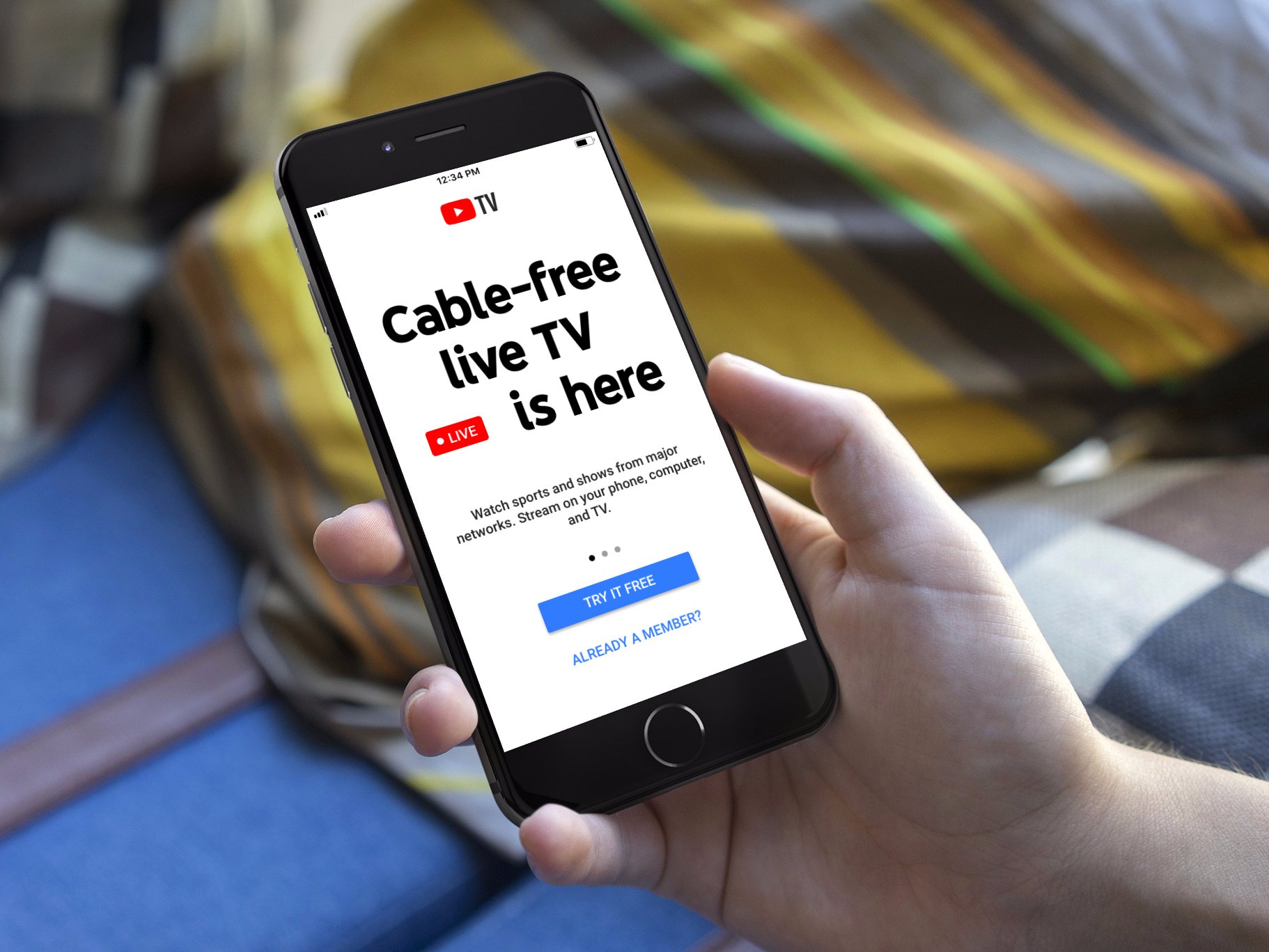
How to play TV in mobile? Top 5 best android apps for online watching TV

How to play TV in mobile? Top 5 best android apps for online watching TV

Image result for Watch Live TV On Your Mobile


Hello friends In this post of today we will teach you to watch live TV in your mobile.So that you can see all the TV channels online for free in your mobile. Now if you want to learn this, then read our post full till the end. As friends, all of you know that TV is one of the biggest means of entertainment. Because of which we like to watch TV in our spare time. But if ever we move away from our home, how will we watch TV? Especially when we have to see our favorite program or cricket match. In such a way, we can enjoy live TV with the help of internet in our mobile.

How To Watch Live TV On Your Mobile - 


To see live TV online in your mobile, you will not need to do anything more. For this you just need to download some live TV app in your mobile. After that you will be able to watch your favorite programs and cricket match live on those live TV app. By the way, friends will find apps for many live TVs on Google Play Store, which can be seen live TV. But in the live TV app we tell you today, you will be able to see any channel in HD.

So, let's go, friends, while not wasting your time, we teach you to watch live TV on your mobile.

Top 5 best android apps for online watching TV


# 1 Jio TV - With the help of Jio TV App, you can watch your favorite TV shows, movies, sports-live cricket, live football, tennis, news and more for free in HD. There are a wide range of Entertainment, Movies, Sports, News, Regional, Music Channels, etc. are seeing |
Currently this app has more than 100 million downloads and this is a great app for watching Live TV for all Jio users.

# 2 Yupp TV - With this app you can see 200+ Indian Live TV Channels on your mobile. Including Star Plus, Aaj Tak, MTV India , Colors, Sony TV, Zee TV, Zee Cinema, SAB TV, 9XM, SONY MAX, Rishtey TV, etc. are included TV Channels |

Currently this app has more than 10 Million downloads and is also a great app for watching Live TV on mobile.

# 3 Voot - Through the Voot App, you can enjoy watching live TV on your mobile phone as well as download your favorite programs. In it you can see many popular TV channels like Colors Hindi, MTV, Colors Infinity, Nickelodeon, VH1, etc. in your mobile.

Voot App is also a very good mobile app to watch TV on mobile and has more than 50 Million downloads

#4 Hotstar - Hotstar is also a very popular Live TV streaming app, on which you can watch your favorite TV shows, movies, games, live news, etc. In it you can watch TV channels like Star Plus, Star Bharat, Star Sports, HBO, Nat Geo, Fox Life, Star Utsav, etc.

Through this app you can also watch many live TV channels on your mobile. Currently this app has more than 100 Million downloads.

#5 nexGTv - You can also try the nexGTv Mobile App to watch live TV in your mobile. In it you can watch TV Channels like B4U Movies, 9X Jalwa, POGO, 9X Tashan, 9XM, B4U Music, News 24, DD News, etc.


If you want to enjoy free channels without paying for it, this app is great for it. Currently, more than 5 Million downloads of this app have been downloaded.
Digital Marketing a boon for new era

Digital Marketing a boon for new era

In past there was people who interacted most with each other to do business,because there were no any facilities like electronic devices, technical devices,internet connections etc. But the business ran smooth because people were adapted and habitual with that practices. However the productivity was not as per the target. Yes, It was quiet obvious that the less facility was available so in that this much output would come.

But day by day the invention & innovation is going on and the development goes running. The mode of business moved towards technology rather than the old one. It has a reason because in this modern era more than 2 billion of people are connected with the internet and they are spending half of the time with it. People thought that it could be the better way of marketing & doing the business. Now the marketing done by the digital technologies is named as Digital marketing.

Digital marketing is a term for online marketing of a product. Marketing term say the to identify and satisfying the needs of customer. But when it is done by the digital technologies is known as digital marketing. Business runs with the online medium like google search , email , social media just to connect with their target customers. People using most of the time on internet so that the target customer on the basis of age, gender, religion etc they can easily connected with that and helps to raise up the business.

Digital marketing has done by the different tactics and all needs some channels which can say assets to us like social media marketing, websites , digital advertising, engagement or sms marketing, email marketing that assets has been executed by the different tactics which done in the category of digital marketing.

Below is the few assets and tactics which is used in digital marketing are:-

Assets
  • Website:- Your website is an asset for digital marketing, target audience will visit there and try to find out their related product.
  • Blog post:- Blog posting is the root for digital marketing because the blog needs content for a particular topic ,when audience read that blog it’s a medium to attract the customer.
  • E book:- The electronic books is also a best way to read because it occupy less space, more amount of books can store in a device and easy to carry from one place to another.
  • Social media :- Billions of people are on social media now a days the channels like Facebook, Instagram,twitter ,you tube etc. which is a great platform for digital marketing.
Tactics
  • Search Engine Optimization:- It is a very essential tactics for digital marketing i.e. SEO , means to get the high ranked for your website on search engine on result pages. It could be done by increasing traffic on website with organic search. 
  • Content Writing:- It is the backbone for digital marketing which is used for promotion of the new product, awareness of brand and to attract the customers. If the fresh content is there on the website, audience would be attracted more than the other website.
  • Social Media Marketing:- Social media sites like facebook, twitter, youtube, instagram are used for the advertisment , promotion, generate traffic, generate leads for business.
  • Pay Per Click:- PPC is the most common channel for paid advertisement, in which the some amount is to be paid by the publisher and it is generally done by the Google Ad words.
  • Affiliate Marketing:- A type of promotion activity of your product to other website.
  • Email Marketing:- It is also a medium of digital marketing in which companies connected with the audience through email. They continously send them promotions, discounts,offers of their products. It is a kind of engagment marketing.
  • Google Analytics:- It is the way to analyse the health of a website in terms of content, keywords, domain authority, page authority etc.
Digital marketing is a done by the B2B & B2C. For business to business Linkedin is a great channel where B2B done easily and Instagram like website is fit for B2C.

PROS
  • Website traffic
  • Content performance
  • Product promotion
  • Increasing sales
  • Increase revenue
CONS
  • Technical error
  • Spam
  • Data security
As there are diiferent tactics for the digital marketing but the assets is also essential for it. Like mobile marketing etc. but these are the modern trends now a days and growing day by day and in future the demand will be higher. So it needs to be more focus on it to get the great success..!!
Is anyone visiting your Facebook profile? Find out the way!

Is anyone visiting your Facebook profile? Find out the way!

We may not know who your Facebook profile is and who is visiting. But many of them may wish to know which of your friends is making your profile boggling. Maybe you did not know about this now, but you can easily find out who actually visited your profile.
Image result for visiting your Facebook profile
Below are how to find out your Facebook profile visitor step by step
1) First of all, log in to Facebook and click on your name.
2) Now click on the right mouse button on the left side of the screen.
3) Now click on 'view page source', a new page will appear in which many code will be written.
4) Now go to the new page and press Ctrl + F to see a search box will appear.
5) Now type 'InitialChatFriendsList' inside this box and press Enter.
6) Now you have a number of numbers in the code beside the InitialChatFriendsList text.These numbers are all information about your profile recently visited.
7) Now copy the number to the dash (-) before going to your Facebook profile at www.facebook.com/  after the '/' slash of url and press enter.
Now you see that your profile who has visited has opened its profile. In this way, copy the next numbers and paste them into the profile of those who have recently visited your profile.
Don't Make These 5 SEO Mistakes for Your Blog

Don't Make These 5 SEO Mistakes for Your Blog

Image result for SEO Mistakes
Search Engine Optimization is not an easy thing. Not infrequently also many who do SEO practices that ultimately harm themselves. 15 errors in SEO are also included that are often done. If you are the one who did it, make repairs immediately.

EXPLANATION: 15 MISTAKES IN SEO THAT NEED TO BE AVOIDED

Yes ... the name is also wrong, and it has been informed here too. So it should be avoided. Just like in the last gallery that I uploaded here. 10 False Myths about SEO and these infographics complement each other. Do you still want to go wrong?

1. BUY LINKS

Do you still remember writing about 7 Monetization Blogs yesterday? One way to get money online via a blog is by offering a link on the blog. Many people are looking for links like this - the goal is to be able to get faster in search

Quality backlinks are their target.

However, in practice, many of them do this method of buying links until they are finally discovered by Google and are subject to penalties. Because the practice of buying these links is included in the link scheme that Google prohibits.

2. REGISTERING THE BLOG TO THE WRONG DIRECTORY

Registering a blog to a directory to get backlinks is a common thing to do. I myself have done it myself. However, if we register incorrectly, instead of getting benefits, we will even get a problem.

Some things that need to be considered when registering a blog to the blogger directory so as not to register incorrectly:
  • Does the directory just accept all urls? There is no review by the owner of the directory?
  • What is the quality of the links in that directory? Are all links approved?
  • Are you charged fees or fees for joining the directory?

The above factors are only signs or signals. Not that the directory that does it all means that it must be good too. The most obvious example is by registering a link to the community blog directory.

For example, you follow the blogger A community, and are allowed to enter your link there. You check the signal above. It could be that the directory is considered spammy by Google and other search engines. So instead of getting backlinks, you get problems.

3. ARTICLE MARKETING - SPINNING ALIAS

I have heard several times about this spinning article problem , but I never did it - don't do it. Article Marketing like this includes the 15 Mistakes in SEO in the sense that the article owner changes the order and then distributes the article to other sites.

In the hope of course, Google regards it as a new article and not duplicating. Of course with a link to our blog. However, the problem is, search engines are always developing and getting smarter sniffing like this. Just check the video above.

4. KEYWORD STUFFING

"I don't want to play SEO ... I hate the same as those who play SEO on writing the contents, nothing, just keywords here and there."

Not infrequently I hear like that from some people I explained about SEO. Indeed, the conditions are, first if you play SEO for articles, the more important these keywords are. So, just make the text containing keywords and keywords.

But right now, it's no longer the time to do that. In addition to being a violation, keywords have started to become one of the determining factors - there are still many other factors that make a post appear on Google's page one. Like, backlink quality, writing quality and more.

After all, if you are one of those who find the keyword stuffing like that, After all, you have a blog and can do it right? Just like - write and share good news to the outcome of the bad ones.

5. NON-NATURAL ANCHOR TEXT

Who does not want if the writing is included in the writings of other bloggers?

For those who understand the function of the back-link and the effect to the position of the article, surely you want to. However, his name also wrote other people. Not us, so if someone gives a link with the words "here" or "this", yes we can't control right?

In fact, if you want our ranking in SEO to rise, the anchor text (text for links) is important - as much as possible using keywords .