Showing posts with label SEO. Show all posts
Speed ​​up Blog Loading with Lazy Load AdSense

Speed ​​up Blog Loading with Lazy Load AdSense


For those of you who use their blogs as a source of income, you are certainly familiar with Google AdSense . Yes, Google AdSense is a Google product that is one of the reasons and attractiveness of publishers to further develop their sites. Although not all of them have the same reason.

On the other hand AdSense is one of the contributors to loading because ads displayed by JS AdSense will reduce the loading speed of our blog even though JS AdSense is already using asynchronous, but it will still make the blog wait longer to load.

Here I will give a sample comparison image before and after using this AdSense Lazy Load trick . Below is an example image before using the Lazy Load AdSense trick:

Checked using GTmetrix


And this uses Google's PageSpeed ​​Insights


On checking the Arlina Design site on GTmetrix , get a PageSpeed ​​Score of 68% and YSlow Score of 78% . And for PageSpeed ​​Insights get 99 results for Desktop and 40 for Mobile . Not fast enough. But after I installed the AdSense Lazy Load code the results are better than before as shown below:

Checked using GTmetrix


And this uses Google's PageSpeed ​​Insights


Once installed for PageSpeed ​​Insights get 100 results for Desktop and 81 for Mobile . Yes, it is still not perfect for Mobile but at least there is an increase from before.

Well, for my friends who want to speed up loading the blog, please follow the following tips.


Speed ​​up Blog Loading with Lazy Load AdSense


The workings of this code are quite simple, namely the ads will appear after we scroll the page. So JS AdSense will not appear before we scroll through the site pages.


These tips are intended for my friend who has installed AdSense on his blog. For those who haven't, the code that I will share can be used for other needs such as loading an external JS link.


Open Blogger> Click the Themes menu > Click the Edit HTML button > Add code below before </body>or&lt;!--</body>--&gt;&lt;/body&gt;

<script type='text/javascript'> //<![CDATA[ // Lazy Load AdSense var lazyadsense=!1;window.addEventListener("scroll",function(){(0!=document.documentElement.scrollTop&&!1===lazyadsense||0!=document.body.scrollTop&&!1===lazyadsense)&&(!function(){var e=document.createElement("script");e.type="text/javascript",e.async=!0,e.src="https://pagead2.googlesyndication.com/pagead/js/adsbygoogle.js";var a=document.getElementsByTagName("script")[0];a.parentNode.insertBefore(e,a)}(),lazyadsense=!0)},!0); //]]> </script>


If not, be sure to delete all JS AdSense links that are usually installed in the AdSense ad unit code. Like this :

<script async src="//pagead2.googlesyndication.com/pagead/js/adsbygoogle.js"></script>


This code can also be combined with the JS Adblock Killer link that I shared in the post How to Install the Latest Version of Adblock Killer . For those of you who have done this trick, you can use this code:

<script type='text/javascript'> //<![CDATA[ // Lazy Load AdSense var lazyadsense=!1;window.addEventListener("scroll",function(){(0!=document.documentElement.scrollTop&&!1===lazyadsense||0!=document.body.scrollTop&&!1===lazyadsense)&&(!function(){var e=document.createElement("script");e.type="text/javascript",e.async=!0,e.src="https://cdn.jsdelivr.net/gh/Arlina-Design/quasar@master/arlinablock.js";var a=document.getElementsByTagName("script")[0];a.parentNode.insertBefore(e,a)}(),lazyadsense=!0)},!0); //]]> </script>


After adding, click the Save theme button and finish.

Maybe my friend asks, is this code safe for our AdSense?

The answer is of course safe. Because Google also suggests speeding up blog loading as well as installing Lazy Load Image code to speed up loading of images on web pages.

And whether it will affect our blog's AdSense revenue?

For this one, I don't know yet, because I just installed it myself. We'll see the progress, if the income decreases maybe it is not our fortune 😊 hehe .. Uh, the solution you can revoke the code and return it to normal.

In conclusion, prioritize what you need. If you want to blog more quickly, you can do the above trick, but if you are still in doubt, your AdSense revenue (which may be) decreases, you just need to undo your installation. But for me I consider this a new experience, what I value here is the progress "Will installing this code affect AdSense?" Well, curiosity is what makes me more excited even though there is a risk that needs to be accepted 😃

Okay, I have enough for posting to Speed ​​Up Loading Blog with Lazy Load AdSense , hopefully it is useful for all my friends and respect.
How to use Google Keyword Planner Tool SEO

How to use Google Keyword Planner Tool SEO

How to use Google Keyword Planner Tool SEO

SEO Ke Liye Google Keyword Planner Tool Kaise Use Kare
How to use Google Keyword Planner Tool SEO

Google Keyword Planner Tool for SEO - Whenever it comes to doing Keyword Research, the name of Google Keyword Planner is definitely remembered. Everyone wants to know how to use Google AdWord Keyword Planner Tool, but it is not so easy. You must have basic information to do Keyword Research. Only then you can do SEO Optimization of your content with the help of this tool. Here in this post, we will talk about how we can do Keyword Research from Google Keyword Planner.

Writing quality content
 on the blog is the first option of success in blogging and no one would want to ignore it. All bloggers try to write Full SEO Friendly posts on their blog. But do you think that you are really writing quality content and you can SEO Optimized your post? If you think like this then you can be wrong.

If you write quality content then believe me you will get traffic from everywhere. But even after doing all this, if you are not getting traffic, then somewhere you are definitely making a mistake. You may be following Black Hat SEO. Top-level keywords are required to write high-quality content.

You can make the post viral only by using the top quality keywords in your post and to do the best keyword research, you need to do keyword research. For which you can use many tools online such as Google Adwords Keyword Planner Tool. Although there are many websites on the Internet from where you can do keyword research, Google's Keyword Planner tool is a very good tool and most importantly it is absolutely free.
We are going to talk about this here. But before that, you should know about On-Page Optimization. I write SEO Friendly Content on my blog, yet the traffic is very less, you probably want to ask this question. Even after writing the right quality content, there is a reason why traffic on the article is low, Google Search Engines is not focusing your post and due to this, there is some lack in your post.

Search Engines can have two reasons to ignore your post -

  • First, you are not able to write the post that people want and search in the Search Engine.

  • Secondly, despite writing quality content, you are still able to make the article content search engine friendly.
Both of these reasons have the same problem. You are not able to use a high keyword in the content. If you want to rank your post, then you need High-Quality Keyword for this.

What Is  Google Adwords Keyword Planner Tool

Google Keyword Planner Tool is a service of google on which you can do Target Keywords Search to get traffic. On this tool, you can do a Keyword Search related to your site and blog content. For this, you have to follow this step.

Google Keyword Planner Service is google's free service. But to use it, you have to create an account on Google Adwords. You can simply create an account on Google Adwords with your Gmail ID.

On Google Adwords, apart from doing keyword research, you can use many other Google Adwords Services.

Google Keyword Planner Tools gives you information about Target and High AdSense CPC. On which you can know the CPC of the keyword according to how much money you will get from this keyword upon clicking. This tool is mostly for advertising targeting keywords.

Google Adwords Keyword Planner Tool Kaise Use Kare SEO Ke Liye

Google Adwords is a popular keyword search tool for the Keyword Planner tool. On which you can check Keyword Ranking in your post, and also you can check their Value, CPC and Impression by searching for new keywords.


  • First, you go to Google Keyword Planner Tool and sign in. Then click on "Search for new keyword".

  • Add any keyword here that you want to know about. If you want, you can also add a post title here. If you want to check the information of keywords in one of your previously written posts, then add a link to that post here. Or you just want to find the value of its word, then clear it.

  • Here you can choose Product Category.

  • After this, set Keywords Target and click on get ideas.
Get-Keyword-Ideas-Trixwale

                                                                                                                     
As soon as you click on Get Idea, a new page will open. It will contain all the information about that Keyword. Now here you will be told the details of many more keywords related to this keyword. You can easily find out which keywords are so popular and how much AdSense will pay you by using which keywords.

Keywords-Value-keyword-planner
Here you can find Quality Keywords by clicking on getting Ideas. You will be told 40 50 keywords and their value, out of which you can choose a good keyword for your post.


Example: I have done SEO Optimization Keyword Search here. Now Google Keyword Planner Tool will tell me the performance of this keyword and also give information about relevant keywords. You can see the screenshot below. Now out of all these keywords, High Val
[Latest version of 2019] SEO quote complete guide |

[Latest version of 2019] SEO quote complete guide |

[Latest version of 2019] SEO quote complete guide |

[Latest version of 2019] SEO quote complete guide |

SEO is one of the most important items when doing business on the Internet.

And there are many people who want to get a quote to ask a contractor for SEO.
  • Homepage operation
  • online shop
  • blog
SEO is very important no matter what kind of business you do on the Internet. But, on the other hand, will fail to SEO of supplier selection, nothing was out effect eventually Ri, on the contrary, had received a penalty from Google up the after those who will fail to Rinado not.

In this article, we have summarized the knowledge you should know when making an estimate so that you do not fail to outsource SEO to a contractor. If you read this article,
“I threw away my money at SEO”

It will be a little longer, but I hope you can read it to the end. 
If you can lose hundreds of thousands or millions of losses in this article in less than 10 minutes, get the same amount or more, and eliminate unnecessary stress, then it ’s worth reading. More than enough!

Voice of people who asked SEO

The first thing to know is that there are so many people who have failed to select an SEO.
We're doing a "sell power" in regular seminars and SEO cram school, but the students try to take the survey more than 85% is more of,

  • As if there was no effect
  • Rather, I was penalized and was removed from the search
  • It was completely different from what I said during business hours
  • You were charged just because you displayed a high ranking with meaningless keywords
  • Lost contact
The failure story of the SEO contractor is written. It is no exaggeration to say that it is a suicide act to obtain an estimate from an SEO contractor without applying proper background knowledge or to apply as it is.

 Understand what SEO is and get a quote

Most SEO vendors who fail will get quotes and requests without understanding what SEO is in the first place.
  • I don't know what the estimate is.
  • Of course, this will fail.
  • First, here is a minimum of three things about what SEO is.

SEO is a meaningful keyword that is displayed on the first page of the search order.

First of all, please think that it is completely meaningless even if it is displayed from the second page onward.
  • This is because few people see it from the second page.
  • The problem is
  • With meaningful keywords
  • This is the part.

It doesn't make any sense to display it on the first page with keywords that no one will look for. The search volume of keywords subject to SEO, that is, how many people are searching per month, must be checked at a minimum.

And even if you have search volume, it does n’t make sense for conversions—keywords that do n’t lead to sales. Don't leave your keywords to the business. If you do not check it yourself, the chance of becoming a trader's duck is significantly increased.

SEO is what you do


  • “SEO can only be done by SEO”
  • "SEO is a technique"
  • "SEO is a complicated thing that ordinary people cannot understand"

If you think this way, it is a complete misunderstanding. SEO is something you have to do yourself.

Why is that?
To understand this, you must understand how the search order is determined. The search order is determined by Google robots visiting your website and understanding what the site looks like, and based on that understanding.

There are many factors that determine the search order, but the most important

“Whether it ’s a valuable page for searchers”

It is a point. In other words, the search in a certain keyword "consisting in order for the user" order to, Google robot will determine the ranking determines the order from first place in the order.

Therefore, web pages must be created by professionals in the keyword field, and the pages must be excellent.


If you are a fishing shop, "Aji fishing method" Let ’s say you ’re looking for the top search. Do SEOs have the knowledge of horse mackerel fishing that can be beaten by other fishing websites?

SEOs are unlikely to be more knowledgeable than you who are fishing operators. Do you think you will learn professionally how to fish horse mackerel? Absolutely not.

So many merchants try to improve their search rankings in a black way that Google forbids. SEO must make an estimate after understanding that it is something you can do by yourself.

For SEO to take effect, you must look at two months at the earliest, usually half a year

Unlike SEO, SEO is not immediately effective. In rare cases, the first page may be reached in two hours, but even in such cases, the search volume is usually small.

The first few weeks will have little effect, but after a certain point, the ranking will rise or the number of keywords that will be ranked will increase. The following graph is a graph of students of recent Urachikara Juku.

After making about 20 pages in 4 months, the volume has increased at a stretch. 
In this way, SEO can be obtained by creating pages for users and users, and it is like “agriculture”.

You don't have to go up immediately after paying money, but on the other hand, once you go up, access will increase more and more.

That's why SEO is called the King of Free Ads.

  • Without understanding this point
  • Immediate results
  • Immediate access increases
Do n’t lose to the sloppy sales talks of SEOs. If you are interested in SEO, please see here for details. When will the SEO effect begin to appear? | Thorough explanation with 6 figures

Things you need to know about SEO

Many people have read so far and have misunderstood SEO. From here, I will explain a little more deeply about the SEO knowledge you should know before making an estimate.

 Basic order is "good content order"


[Latest version of 2019] SEO quote complete guide |

Again, the search order is the order of the contents of the website . For example "Aji fishing method" Then, the top 10 contents of the WEB page will be displayed on the first page.
So, in the first place, such good content must be created properly.
Do you think that you can make really good content for SEO companies by round throwing?

Absolute link back

A backlink is a link that takes you to your website. For example, if you set up a link that jumps from this blog to your blog, that link is “backlink” for your blog.

Linked links are like a kind of popular vote, and the number of linked links is high or the quality is good (for example, links from authoritative websites such as newspaper companies and government offices are high quality) If you do, the website will receive a high evaluation in search. Because it ’s accepted by users.

Some SEO vendors try to improve search rankings by impersonating popularity by artificially installing this backlink on the customer's website, but this act is clear on Google This is prohibited.

In rare cases, the rank may go up for a moment as a result of the camouflaged backlink, but you will soon be struck and you will be penalized. In the worst case, you may need to abandon your domain.

Google's robots already have a built-in AI called Brain Brain, which is much better than we think. Regardless of how well your mouth is, you should definitely avoid contractors who take measures against backlinks.

Even if you say that it is safe and secure, good quality, distributed, etc., when you say "covered" of the linked link, the contractor must be excluded from the choice of quotation request.

If you want to know more about backlinks, please see the following article. The search order is determined by the Google robot. Therefore, the content you write must be converted correctly into robot language.

Even if you think about how much I can not speak English, I can not tell the Americans well, if you can not translate it into the correct robot language, your wonderful content will not be understood by the robot, and the search ranking will not improve There is none.

This measure to convert correctly to robot language is called SEO internal measures. The robot language specifically refers to HTML. After creating useful content for users, it's time for SEO internal measures.

This work is also very important for SEO. However, there is no problem as long as it is created using a website that can be converted into robot language properly.

If you have a website platform that automatically takes internal measures, you can do it yourself.

Smartphone site standards from now on

Mobile-first index
Mobile friendly

I have a word such as, from now on SEO is all smartphone site criteria Please be aware that become. The order of PC pages is also determined by the content of the smartphone page.

Therefore, the content of the smartphone page must be equal to or higher than that of the PC. The best way is to create a responsive site that automatically converts to PC size when viewed on a PC and to smartphone size when viewed on a smartphone.

This blog “Uru Chikara” is also a responsive site.


Keywords are the most important

As I mentioned before, keywords are the most important. The results will vary greatly depending on which keyword you are targeting. If you can, look for it yourself instead of the one provided by the supplier.

The simplest and most accurate tool is a tool called ubersuggest . 
Usage is very easy. For details, see the article below Instead of the keyword planner! A free tool that shows the number of regular searches

Please refer to the.

SEO company types

Common SEO company types are:

By fee structure

Performance reward type (Example) Days ranked within 20th search ranking x 1,000 yen, etc. Monthly fixed type ... (example) 30,000 yen per month Up to 5 keywords

Monthly fixed year-end tied type (Example) Monthly 30,000 yen x 24-month contract cannot be canceled, etc.

Fixed monthly lease type (Example) Monthly 30,000 yen x 60 months contract With software Not cancelable Fixed payment type ... (Example) 300,000 yen payment

 By service area

Linked (...) “Distribute high-quality linked links” Internal measures ... (example) "Optimize the internal structure of website" Website creation ... (example) "Build a website with internal countermeasures"

Content agency ... (example) "We will create content on your behalf" Consulting ... (example) “I will give you advice on your SEO” 5 6 rules for estimating SEO contractors Based on the above, I will describe the rules that should be followed when estimating.

 Avoid performance-based SEO

At first glance, the performance-based service seems to be good.

However, most SEO contractors of this type take measures against SEO using the technique that is violated by Google. The representative technique is the camouflaged linked link mentioned earlier.

There is no end to the example that the website has been polluted. It can also mean that you can be charged a high price for keywords that can easily target the first page with low search volume. If possible, it is safe to avoid performance-based services.

Ask if you really have knowledge about SEO

Ask the quoter about the items in this article. It may be about other article items on this site. There are really few SEOs who have the right knowledge. Ask a question and find a supplier who can answer you properly.

Construction of a website with internal measures is necessary

If you ask the supplier for internal measures one by one, the cost of making a page will increase. It is much cheaper to build a website with a solid internal structure. This site is made using WordPress, which has internal measures. Optimized WordPress is really convenient because it can be easily manipulated by anyone with no knowledge of HTML.

Google also recommends.

Whether there is a track record and whether it is true

SEO contractors With the keyword ... However, there are often doubts about whether it is true. Which site About which page What measures did you take From what position to what position

Please be sure to present the evidence together.

The content agency must be someone who understands SEO

If you ask the writer for the content because you cannot write the content yourself,
With knowledge of SEO. Have industry knowledge (or willingness to study). Please leave it to a person.

Shortcut articles and amateur articles can be easily spotted by Google robots. Think of Google robots as your teacher or better.

Also, if you don't have SEO knowledge, no matter how much you ask for the content agency, there will be no effect and everything will be wasted.

 ideal conditions for SEO

Finally, I would like to talk about the ideal SEO contractor we think. Has sufficient knowledge and achievements regarding SEO. Share this knowledge with customers generously, and in the future, customers will acquire knowledge and know-how and support them to operate SEO independently.

Take time to research keywords and make an effort to understand your business well. It provides an optimized platform for internal measures. The content of the content created by the customer will be thoroughly reviewed, including the content structure, keyword matching, and proofreading.

 In the case of content creation agency, the writer has knowledge of SEO, is experienced, and is enthusiastic. Do not escape from customers. No excuses. Don't blame customers for lack of customer satisfaction. Encouragement and sometimes scolding and fighting together. We will complete it with a sense of responsibility.

We hope that you will spend a lot of time estimating SEO and have SEOs that meet at least four of these seven items, if possible, to meet them.
 Best Free Website Hosting Compared (2019)

Best Free Website Hosting Compared (2019)

 Best Free Website Hosting Compared (2019)

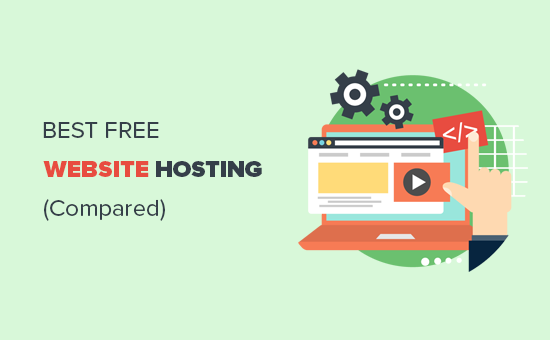
Looking for a free web hosting service to start your website? We get emails from readers on a regular basis asking if there’s a way to get free website hosting. And the answer is YES. We all love free things in life, but it’s important to remember not all free things are created equal. In this article, we will compare the best free (and almost free) website hosting services with their pros and cons.
Best free website hosting compared

The “Truth” About Free Website Hosting Service

Building a website has become the most important way to get your message out in the world. However, when you are first starting, you may not want to spend money on making a website.
Most people simply want something quick, easy, and free.
There are tons of free website hosting companies in the market. But as a smart consumer, you should know that there is no such thing as free lunch.
There is always a catch.
Running a website hosting service costs a lot of money.
The companies offering free website hosting need to make money somehow, or they will go out of business.
They do that by either displaying ads on your website, limiting your website traffic, locking you in their platform, and/or upselling their other services. Some of the ads displayed may not represent your brand well, and it can even be your competitor’s advertisement.
Except for a test website, it’s almost always a bad idea to use free website hosting. We have 36 reasons why free websites are a bad idea, especially for businesses.
But what if you’re on a small budget?
Maybe you’re a non-profit who is looking for free WordPress hosting or maybe you want free website hosting for students. Don’t worry, we have a solution for you in this article.
As the largest free WordPress resource site for beginners, it is our job to highlight the fine-prints, so you’re making the RIGHT decision.
Every free website hosting company in our list guarantees that you can keep your website for free as long as you want. However, we recommend anyone who is serious about their website to strongly consider using a low-cost full-featured website hosting provider.
Majority of these shared hosting companies will give you a free domain, free emails, free SSL, eCommerce functionality, and a lot more for $2.75 – $5 per month.
That’s basically “almost free” considering you will make a lot more money from your website.
Paying this small amount gives you access to expert support and overall better service. Most importantly, it gives you complete control and ownership of your website.
That being said, let’s take a look at some of the best almost-free website hosting companies first. After that, we will look at the best free website hosting companies.

Best Value “Almost-Free” Website Hosting

These providers are highly-reputed and are a great place for small businesses to start their website.
Some of them are even officially recommended by WordPress, WPBeginner, and other large organizations because they have demonstrated a high level of quality and service.
If you are serious about your website, then we recommend you to start your website with one of these 5 providers.

1. Bluehost

Bluehost
Bluehost is one of the largest hosting companies in the world. They are an officially recommended WordPress hosting provider.
They have agreed to offer WPBeginner users a free domain name, free SSL certificate, and 63% discount on web hosting. Basically, you can get started for $2.75 per month.
Their hosting plans include free branded email addresses, unlimited disk space, free SSL certificate, 1-click WordPress install, and more.
To learn more about Bluehost, see our complete Bluehost review where we evaluated their hosting performance, features, and services.

2. SiteGround

SiteGround
Siteground is another great alternative to free website hosting. They are known for their awesome support and blazingly fast performance. SiteGround is also an officially recommended WordPress hosting provider.
They are offering WPBeginner users 60% discount on hosting. Basically, you’ll be able to get started for $3.95 per month.
SiteGround’s hosting plans come with a website builder, 1-click installer for WordPress and Joomla, unlimited email addresses, and more.
SiteGround has a special offer for Teachers and Students. You can get Student Web Hosting for only $1.99 per month.
Teachers can use SiteGround to enroll in a free hosting plan for educators.
For more details, see our thorough SiteGround review where we ran actual tests to measure their performance and uptime.

3. HostGator

HostGator
HostGator is one of the top hosting service providers in the market. They have been around since 2002 and gradually grew to become one of the largest hosting companies in the world.
Their incredible growth can be credited to their low-price, reliable web hosting, and quality customer service.
Their hatchling plan starts from $2.64 / month. Each plan includes unlimited email addresses, free HTTPS / SSL, unmetered bandwidth and disk space.
Our founder and CEO, Syed Balkhi, is a HostGator customer since 2007. WPBeginner itself is hosted with HostGator’s dedicated server and we are very happy with their performance.
For more details, see our HostGator review with pros and cons, and detailed performance tests.

4. DreamHost

DreamHost
DreamHost is one of the oldest web hosting companies, started in 1997. They currently host more than 1.5 million websites.
Their starter plan costs $2.59 per month. It includes a free domain name, free domain privacy, free SSL, unlimited emails, 1-click installers for popular website builders, and more.
To learn more, see our complete DreamHost review where we evaluated their services, support, and performance.

5. Just Host

Just Host
Just Host is another low-cost alternative to the free website hosting companies. They offer shared hosting plans perfect for creating a starter website.
You can basically get started for $3.95 per month. Each plan comes with a free domain name, unlimited email addresses, multiple websites, and 1-click install for to CMS software like WordPress.
To learn more, take a look at our complete Just Host review with pros and cons.

Best Free Hosting Sites

While free is tempting, it’s always limited when it comes to website hosting. With that in mind, we have hand-picked the best free website hosting sites that you can use to get started.
These hosting sites are 100% free for you to use.
If you’re serious about your website, we strongly recommend you to read our comprehensive guide on how to choose the best WordPress hosting before making your final decision.
With that said, here are the best free hosting companies in the world.

6. WordPress.com

WordPress.com
WordPress.com is a popular free hosting platform that offers a unique flavor of WordPress. Not to be confused with the WordPress.org, which is home of the well-known self-hosted website builder, WordPress.
WordPress.com offer a free website hosting plan which gives you a WordPress.com subdomain (i.e. yourwebsite.wordpress.com ), 3 GB storage, and access to free templates for your website.
This free plan displays ads on your website. You can upgrade to their paid plans to get rid of ads, use a custom domain name, and access additional features. At which point any of the “almost free hosting” services we mentioned above are the better option.
To learn more, see our comparison of WordPress.com vs WordPress.org with pros and cons of both platforms.

7. Wix

Wix
Wix is another fully-hosted website builder that offers free website hosting.
Like most free hosting services, it is supported by displaying ads and Wix.com branding on your free website. You can get rid of it by upgrading to their paid plans.
The free plan will give you a Wix.com subdomain, access to website templates, 500 MB of storage and 500 MB of bandwidth.
For more details, see our comparison of Wix vs WordPress where we break down the pros and cons of both platforms.

8. Weebly

Weebly
Weebly is another popular free website builder that you can use. It comes with an intuitive drag and drop builder and ready-made templates to create a website.
Their free plan includes a Weebly subdomain, 500 MB of storage, and displays Weebly ads. You can upgrade to their paid plans to get rid of ads, get more storage, and unlock features.
You may want to see our detailed comparison of Weebly vs WordPress which shows the advantages and disadvantages of both website platforms.

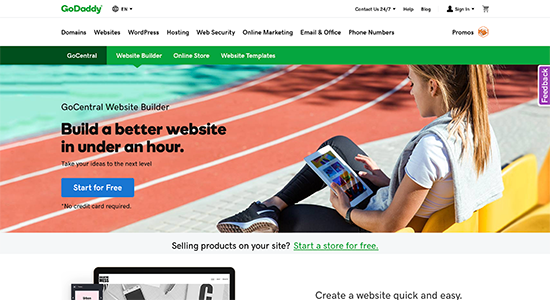
9. GoDaddy Website Builder

GoDaddy Website Builder
GoDaddy is the world’s largest domain name registrar and a popular hosting company.
They offer GoDaddy website builder which is a drag and drop website builder with ready-made templates. It is available as a 30-day free trial after which you can upgrade to one of their paid plans starting from $5.99 per month.
It is cheap and very easy to use. However, once your website grows you may find GoDaddy Website Builder to be quite limited in features. It is also difficult to move GoDaddy Website Builder to WordPress or any other website platform.

10. Squarespace

Squarespace
Squarespace is a popular website builder platform that requires no technical skills. It offers beautiful professional templates and an intuitive drag and drop interface.
They offer a restricted 14-day free website hosting trial. This gives you access to their website builder so you can try its features. Your website will not be public unless you subscribe to a paid plan.
Paid plans start at $12 per month. Each plan comes with a free custom domain, unlimited bandwidth, storage, and ready-made website templates.
To learn more, see our article on Squarespace vs WordPress with pros and cons and feature comparisons.

11. Google Cloud Hosting

Google Cloud Logo
Google offers a wide variety of free website hosting solutions for small businesses and students. It comes with all the powerful features that you can expect from a top-class company like Google.
Since their plans are based on pay-per-use, it’s an easy place for students to get started. Google offers $300 free credit for new customers which is sufficient to last you for a whole year if you’re just looking for a free website hosting for test sites.
You can use Google Cloud to host any type of website, and they even offer WordPress on Google Compute Engine.

12. Amazon Web Services (AWS)

AWS Logo
Amazon Web Services also known as AWS powers some of the most popular websites in the world. While it’s not easy to use for small businesses, it’s a great platform for students and developers who’re just getting started.
Amazon offers 12 months free and always free products on their AWS Free Tier which is by far one of the best free website hosting for testing sites.
Students can use Amazon’s powerful platform to learn and master their development skills.
A GUIDE ON HOW TO RUN A QUICK SEO AUDIT ON YOUR WEBSITE

A GUIDE ON HOW TO RUN A QUICK SEO AUDIT ON YOUR WEBSITE

A guide on how to run a Quick SEO Audit on your Website
Everyone I mean Everyone wants to learn SEO.
People read blogs, watch videos and begin it up but exactly don't know where to begin from.

Generally, a complete SEO Audit takes hours or it may even take days depending upon the size of the site and its type.

But As time is money and what if you can complete a task of a day in a few hours.

I'm sure you're probably gonna say yes and why not Everyone wants to save time.


Here are a few steps you need to follow to run a quick SEO Audit on your site.


#STEP 1 TO RUN A QUICK SEO AUDIT: Page Speed Insights


Would you prefer to stay on a website that takes minutes to load? NO, right.

Event the google doesn't like such sights that take time to load and therefore Loading speed is important when you talk about optimising it for the search engines.

To check the page speed you simply need to log on to  https://developers.google.com/speed/pagespeed/insights/

Enter your URL see what you've sown in the website.

It shows you results for both desktop and Mobile and also shows the benchmarks

A guide on how to run a Quick SEO Audit on your Website

I took Google as an example and you can see that even the mobile loading speed for Google is 89 which means there is still scope for improvement and the benchmark score for mobile is


  • 0-49: slow
  • 50-89: Average
  • 90-100: Fast


A guide on how to run a Quick SEO Audit on your Website

For desktop Google's speed is fast and the score is 100 which is best.

The benchmark score for desktop is the same as Mobile. 

Remember fastest the loading speed lesser the bounce rate. If a user bounces back even before the sight is loaded it is not a good sign for your site.

I always use page speed insights whenever I run a Quick SEO Audit on the sites I work on.


#Number2: Dead Links/Broken Links:


How often you click on a link and it takes you nowhere or shows Error 404. it happens most of the times with sites which are not properly developed and optimized and google doesn't like such sites. 


The links that take you nowhere or land on Error 404 page are called dead links and broken links. though both are different we will talk about these later someday. 


It is significant for a website that every link redirects you either on a page or a site (depending upon the link and content). 


There are a lot of tools on Google which can be used to check the dead links.


The one which I commonly use for detecting dead links while conducting a Quick SEO Audit is 


What I like about this tool is you can detect dead links of the entire site or maybe just a single page. 

It shows you the total number of links scanned, how many out of the total are okay/working and how many of them are dead or broken. 

A guide on how to run a Quick SEO Audit on your Website


There should be no broken links or dead links at all. A developer has to be very careful while putting and redirecting all the links. 

You can even see the full report of the scan and can check the source where it is linked from and the, of course, the URL. 


#Number 3: CSS Minification Test:

Not talking about the technical things and what is CSS and How does it affect Optimisation I'd prefer to tell you about what happens if CSS is not minified. 

If the CSS of your site is not minified it will result in more loading time. The weight of your CSS is directly proportional to the loading time of your site.

I use SEOsitecheckup for this. though its a paid tool you can run a 1-2 tests for free.


A guide on how to run a Quick SEO Audit on your Website

The score it shows should be maximum. Here in the image its 51 which is not considered as a good score. 

Every piece of CSS must be minimised for making a site SEO friendly.

#Number 4: Title and Heading Test:

To make a site recognizable for search engines and tell what the site is about it is of paramount importance that one should put heading tags, title, meta title and meta keywords appropriately. 

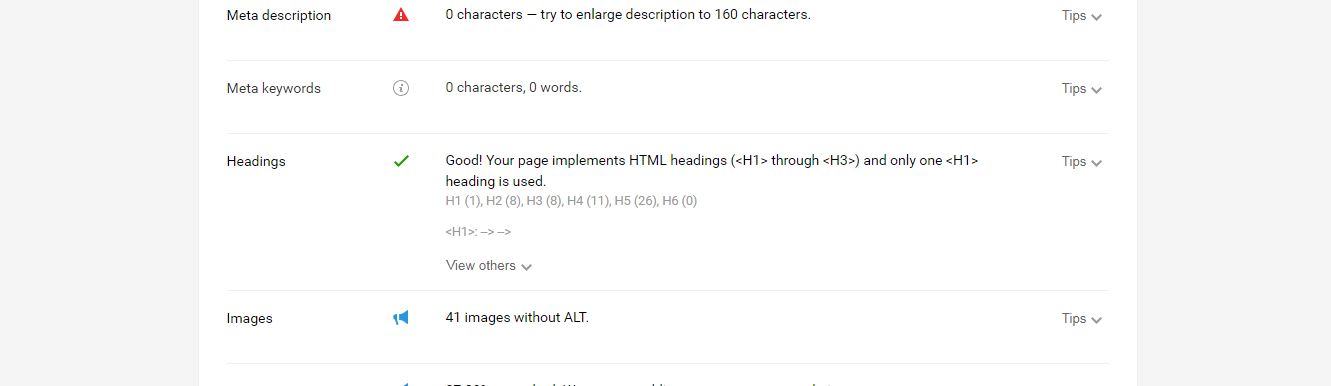
To check whether the headings and titles have been put or not you can use various free tools and the one which I am currently using is SEO QUAKE. 

By adding this extension to our browser you get to see the detailed diagnosis report of the page/site.

A guide on how to run a Quick SEO Audit on your Website

What you get from this tool?

  • Title: Title is one of the most important things, you need to put on your site.
  • Meta Description: meta description is the content below the title shown on the search engines. It is important to have a good and user-relevant meta description.
  • Headings:  Headings are HTML header tags in which your keywords can be placed.  


A guide on how to run a Quick SEO Audit on your Website

SEO Quake is one of the best tools I've found so far for a QUICK SEO AUDIT


What I find most useful in this tool is that it gives you useful tips for each and everything. 

A guide on how to run a Quick SEO Audit on your Website


Now, all that you need to do is,  hop on to the website you're looking to run a quick SEO audit on and prepare a document for the results and start working on them.


To know more about SEO subscribe to our newsletter.


Top Free Keyword Reaserch Tools of 2019

Top Free Keyword Reaserch Tools of 2019


Top Free Keyword Reaserch Tools of 2019
Keyword research is the foundation stone of any successful digital marketing campaign. If you've succeeded in identifying the correct keywords then for sure your campaign will prove out to be a huge success.

Building a strategy around the keyword you wish to rank for is vital, and there are plenty of SEO keyword tools to help you with that.

Everyone wants traffic on their blog and if you're a blogger then keyword research must be the first step in your writing process. 

So here I've listed the best Keyword research tools which will help you rank your blog on the top.


1. Google Keyword Planner:  

Google keyword planner is one of the best free tools for keyword research and is a part of Google Adwords platform. 

Firstly you need to login into Google adwords and then click on tools and you'll find Keyword planner over there.

What is good about this keyword research tool is that you can choose the location for the keywords,(where the keywords are being researched ) 

and the idea filter. Keyword planner gives you two options 

1 Closely Related Ideas 

2 Broadly Related Ideas 


This tool is mostly used by new SEOs or the people having basic knowledge of the SEO.


2. Uber Suggest:

This free tool has been provided by the famous digital marketer Niel Patel.

what's different about this tool is that you can type in your competitor's domain name to know what keywords he is using to rank his site. 

You need to type in the word (keyword) and then select the region you wish to see results for and you will get the results for 

              Search Volume
               
              SEO Difficulty
               
              Paid Difficulty
              
              Cost Per Click 


and it even shows you the percentage of chance of your ranking in the top 10 or 20 SERP (Search Engine Result Page)


It also shows you keyword ideas that you might be interested in using along with their volume CPC, Paid Difficulty and SEO Difficulty. 


3.Keywords Everywhere:

One of the best free tools used by professional SEOs. Why? Simply Doesn't matter wherever you are it is along with you. 

Keywords Everywhere is a free extension for Both Google Chrome and Mozilla Firefox. With this tool, you need not to open a separate window for keyword research, just move your mouse cursor to the top right of your chrome (because I use Chrome) and do your keyword research. 

What's special about this tool is it shows you the results for what other people are searching.

4. Soovle:

Soovle is also a great tool for keyword research. It fetches you results from Google, Yahoo, Bing, Youtube, Amazon and many more. 

One can drag the results to save them and later download them in a CSV format. 


Digital Marketing a boon for new era

Digital Marketing a boon for new era

In past there was people who interacted most with each other to do business,because there were no any facilities like electronic devices, technical devices,internet connections etc. But the business ran smooth because people were adapted and habitual with that practices. However the productivity was not as per the target. Yes, It was quiet obvious that the less facility was available so in that this much output would come.

But day by day the invention & innovation is going on and the development goes running. The mode of business moved towards technology rather than the old one. It has a reason because in this modern era more than 2 billion of people are connected with the internet and they are spending half of the time with it. People thought that it could be the better way of marketing & doing the business. Now the marketing done by the digital technologies is named as Digital marketing.

Digital marketing is a term for online marketing of a product. Marketing term say the to identify and satisfying the needs of customer. But when it is done by the digital technologies is known as digital marketing. Business runs with the online medium like google search , email , social media just to connect with their target customers. People using most of the time on internet so that the target customer on the basis of age, gender, religion etc they can easily connected with that and helps to raise up the business.

Digital marketing has done by the different tactics and all needs some channels which can say assets to us like social media marketing, websites , digital advertising, engagement or sms marketing, email marketing that assets has been executed by the different tactics which done in the category of digital marketing.

Below is the few assets and tactics which is used in digital marketing are:-

Assets
  • Website:- Your website is an asset for digital marketing, target audience will visit there and try to find out their related product.
  • Blog post:- Blog posting is the root for digital marketing because the blog needs content for a particular topic ,when audience read that blog it’s a medium to attract the customer.
  • E book:- The electronic books is also a best way to read because it occupy less space, more amount of books can store in a device and easy to carry from one place to another.
  • Social media :- Billions of people are on social media now a days the channels like Facebook, Instagram,twitter ,you tube etc. which is a great platform for digital marketing.
Tactics
  • Search Engine Optimization:- It is a very essential tactics for digital marketing i.e. SEO , means to get the high ranked for your website on search engine on result pages. It could be done by increasing traffic on website with organic search. 
  • Content Writing:- It is the backbone for digital marketing which is used for promotion of the new product, awareness of brand and to attract the customers. If the fresh content is there on the website, audience would be attracted more than the other website.
  • Social Media Marketing:- Social media sites like facebook, twitter, youtube, instagram are used for the advertisment , promotion, generate traffic, generate leads for business.
  • Pay Per Click:- PPC is the most common channel for paid advertisement, in which the some amount is to be paid by the publisher and it is generally done by the Google Ad words.
  • Affiliate Marketing:- A type of promotion activity of your product to other website.
  • Email Marketing:- It is also a medium of digital marketing in which companies connected with the audience through email. They continously send them promotions, discounts,offers of their products. It is a kind of engagment marketing.
  • Google Analytics:- It is the way to analyse the health of a website in terms of content, keywords, domain authority, page authority etc.
Digital marketing is a done by the B2B & B2C. For business to business Linkedin is a great channel where B2B done easily and Instagram like website is fit for B2C.

PROS
  • Website traffic
  • Content performance
  • Product promotion
  • Increasing sales
  • Increase revenue
CONS
  • Technical error
  • Spam
  • Data security
As there are diiferent tactics for the digital marketing but the assets is also essential for it. Like mobile marketing etc. but these are the modern trends now a days and growing day by day and in future the demand will be higher. So it needs to be more focus on it to get the great success..!!